EduPark

March 2026·5 updates

What's New: Issue 02, March 2026

New for students and schools every month

Cover story·01 / 05New

Put your students in classes and manage them in one place

Create a class for each group you teach and add your students to its roster. Every class and every student lives in your organization's console, so you always know who is enrolled where.

For educators & schools·

A class's Members tab lists its 33 students with their alerts, then Add Students opens the organization's joined students and one is ticked to add to the class.

In this issue

A class page's Add to curriculum leads to the assignment wizard, where the assignment is named and Practice Session is picked from types including Learning Module, Section Exam and Full Mock Exam.
New

Assign practice and homework to a whole class

Instructors can assign practice sets, mock exams, or Learning Hub modules to an entire class at once, and track completion from the class page.

For educators & schools·

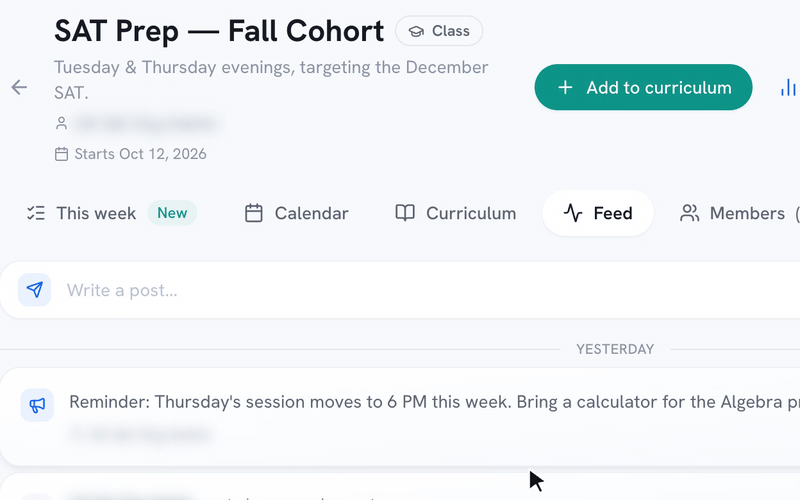
A teacher types an announcement on a class's Feed and posts it, and it appears at the top of the Feed for every student in the class.
New

Post announcements to a class

Post an announcement on a class's Feed, and every student in the class gets a notification. Schedule changes and reminders sit right next to the class's assignments.

For educators & schools·

The Performance page for one class shows participation, average score and mock exams, its Trends tab charts daily active users, and one student's profile shows their estimated score, mock exams and practice sessions.
New

See how every student is doing

The Performance page shows estimated scores, mastery, participation and topic trends across your roster, and instructors see the students in their own classes. Open any student to see their mock exams, practice sessions, assignment results and topic breakdown.

For educators & schools·

The Email parents dialog with a note and the progress report link switched on, then the report a parent opens without logging in: estimated SAT score, score trend and topic breakdown.
New

Email parents a progress report

Send a progress report to every parent on a student's record, for one student or a whole class at once. Parents open the link without logging in and see the student's estimated score, score trend, strong and weak topics, study time and recent assignments.

For educators & schools·

More issues